Example: Date/Time
Dates, instants and reporting years
Use a date class when an observation records a calendar date, and a date-time class when it records an instant. A reporting year such as 2014 is an integer, not a complete date to be guessed as January 1. The regional tables in Unit 04 needed only reporting years. Here, station observations need dates and times so that we can plot them on a time axis, calculate elapsed time and identify calendar months.
Read a calendar date
as.Date("2014-01-01")
as.Date("31.01.2014", format = "%d.%m.%Y")
%d, %m and %Y specify day, month and four-digit year. Use an explicit format for ambiguous source strings and inspect failed conversions with is.na().
Specify the time zone
ct <- as.POSIXct("01.01.2014 13:30:35",
                 format = "%d.%m.%Y %H:%M:%S", tz = "Europe/Berlin")
ct
format(ct, format = "%Y-%m-%d %H:%M:%S", tz = "UTC", usetz = TRUE)
The input is 13:30:35 in Berlin, which is 12:30:35 UTC on that January date. Specifying the zone avoids depending on the computer’s local settings. Europe/Berlin accounts for daylight-saving rules; CET and CEST describe different seasonal offsets.
POSIXct represents instants as seconds relative to the Unix epoch. POSIXlt exposes calendar components in a list-like representation:
lt <- as.POSIXlt(ct, tz = "Europe/Berlin")
lt$hour
lt$mon + 1L
Here the hour is 13 and the month is 1; POSIXlt months start at zero. Prefer POSIXct for a date-time column in a data frame. strptime() parses strings into POSIXlt; consult its format documentation rather than guessing a format.
Elapsed time and calendar changes
later <- ct + 30 * 60
difftime(later, ct, units = "mins")
as.Date("2014-01-02") - as.Date("2014-01-01")
These calculations give 30 elapsed minutes and one calendar day. Adding 86,400 seconds is not always the same as moving to the same local clock time on the next calendar day across a daylight-saving transition. State which operation your question requires.
Return to readable text
strftime(ct, format = "%d.%m.%Y %H:%M", tz = "UTC")
The displayed text is 01.01.2014 12:30; the original instant is unchanged. Formatting produces character data, rather than changing the measurement itself. Keep parsed instants for calculations and format a separate display when needed.
Apply this to station timestamps
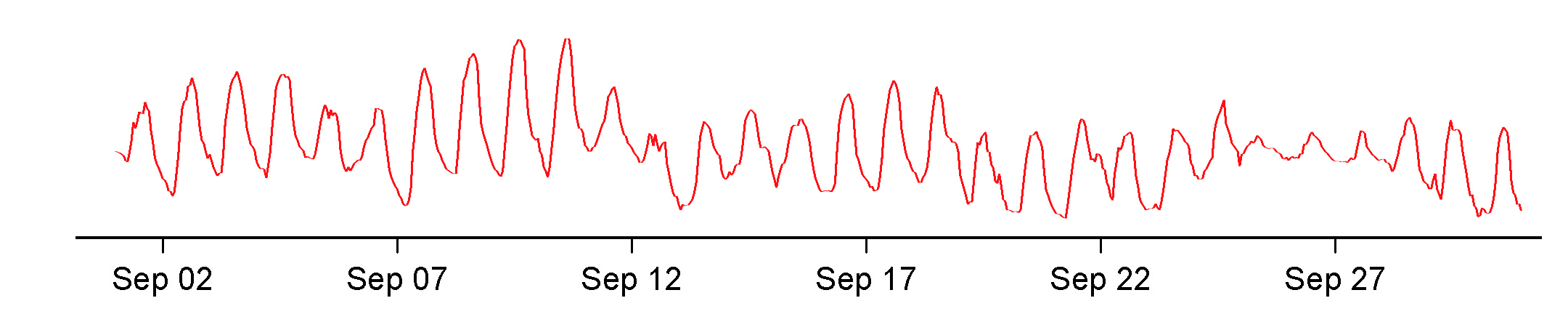
The following DWD example contains an hourly timestamp such as 2006070100: year, month, day and hour, without separators. Match the format to those fields and specify the time zone used in that example:
station_time <- strptime(c("2006070100", "2006070101"),
                         format = "%Y%m%d%H", tz = "UTC")
station_time
difftime(station_time[2], station_time[1], units = "hours")
The two observations are one hour apart. Parse the time values before calculating differences; subtracting the original timestamp numbers would fail at day, month or year boundaries. Use the source’s documented time zone when importing other station files.
Extract months and years
format(station_time, format = "%Y", tz = "UTC")
format(station_time, format = "%m", tz = "UTC")
These return year and month labels as character data. They can define calendar groups for summaries; convert them explicitly if you need numeric components. Unit 10 reuses this idea for seasonal analysis. When a source reports only a month, a date placed at its start is a plotting convention, not an observation made on that day.
Continue with the DWD time-series example, where the same parsing step is applied to the full timestamp column.
See the R date-time documentation for formats and conversion details.